
Hotspot identification
Hotspot identification in a 3d space is recognised as a challenge in Augmented Reality, particularly in web-based AR applications, where the full suite of technologies available to a native app may not be reliably available to an app mediated by a web browser - for example, access to gyroscope, depth sensors and accelerometers. In addition, the overhead of running an app within a browser impacts the performance when compared to a native app.
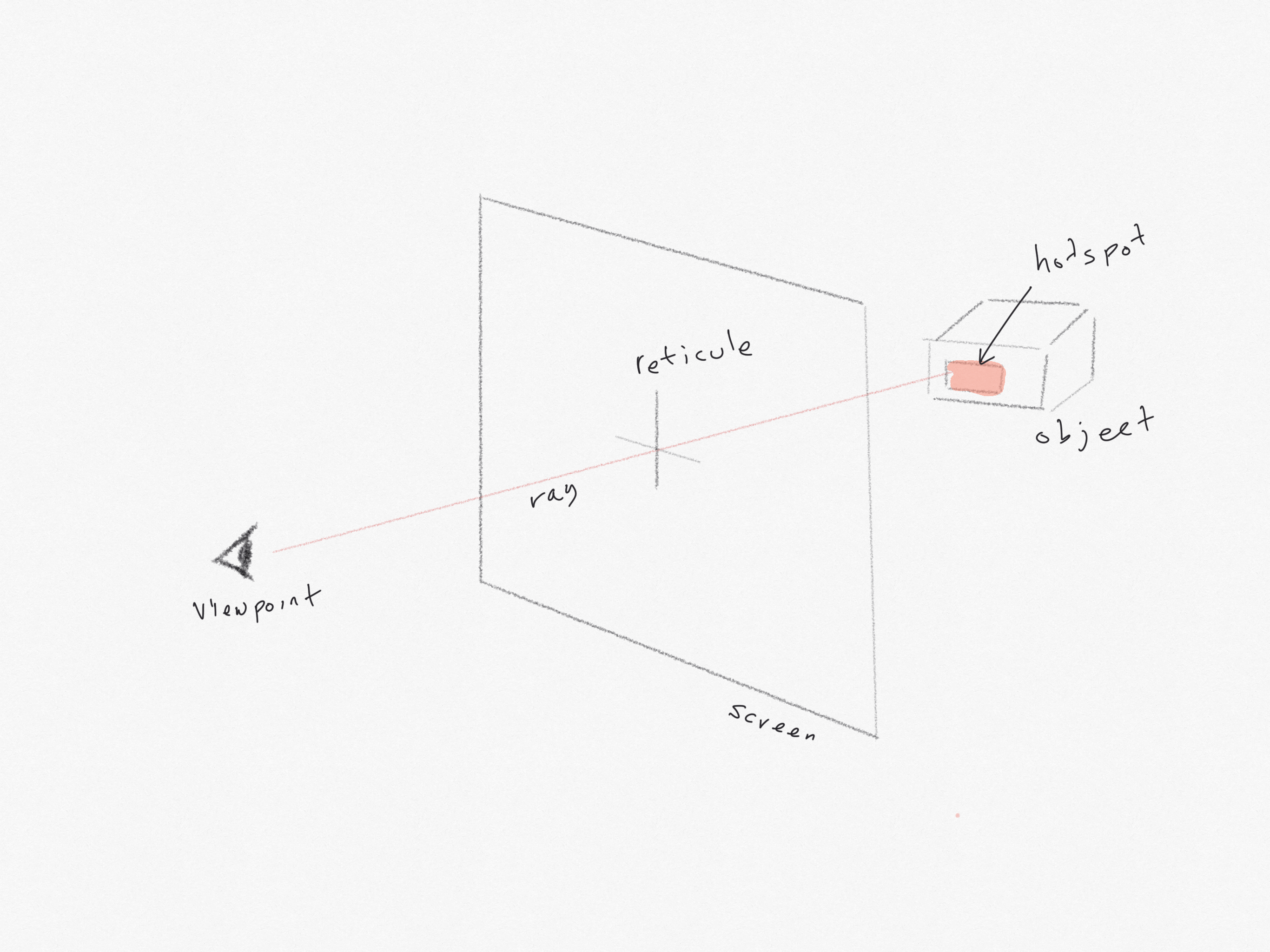
Gaze-based interaction is a common system employed in Virtual Reality (VR) applications - when the user is calculated to be looking directly at an object, the object can be highlighted. This uses some straightforward geometry to determine whether a ray from the user's viewpoint, produced through the reticule displayed on the screen, when extended into the virtual scene, would 'pierce' a hotspot on the target object. However, this method does not appear to be effective in-browser, and is not (as of this writing) directly available in AR.js.
- Markerless object placement with cursor interactions - testing cursor based interactions. Cursor based interactions don't appear to work when associated with a marker. However, as shown in this example, cursor based interactions do work with objects placed relative to the camera.
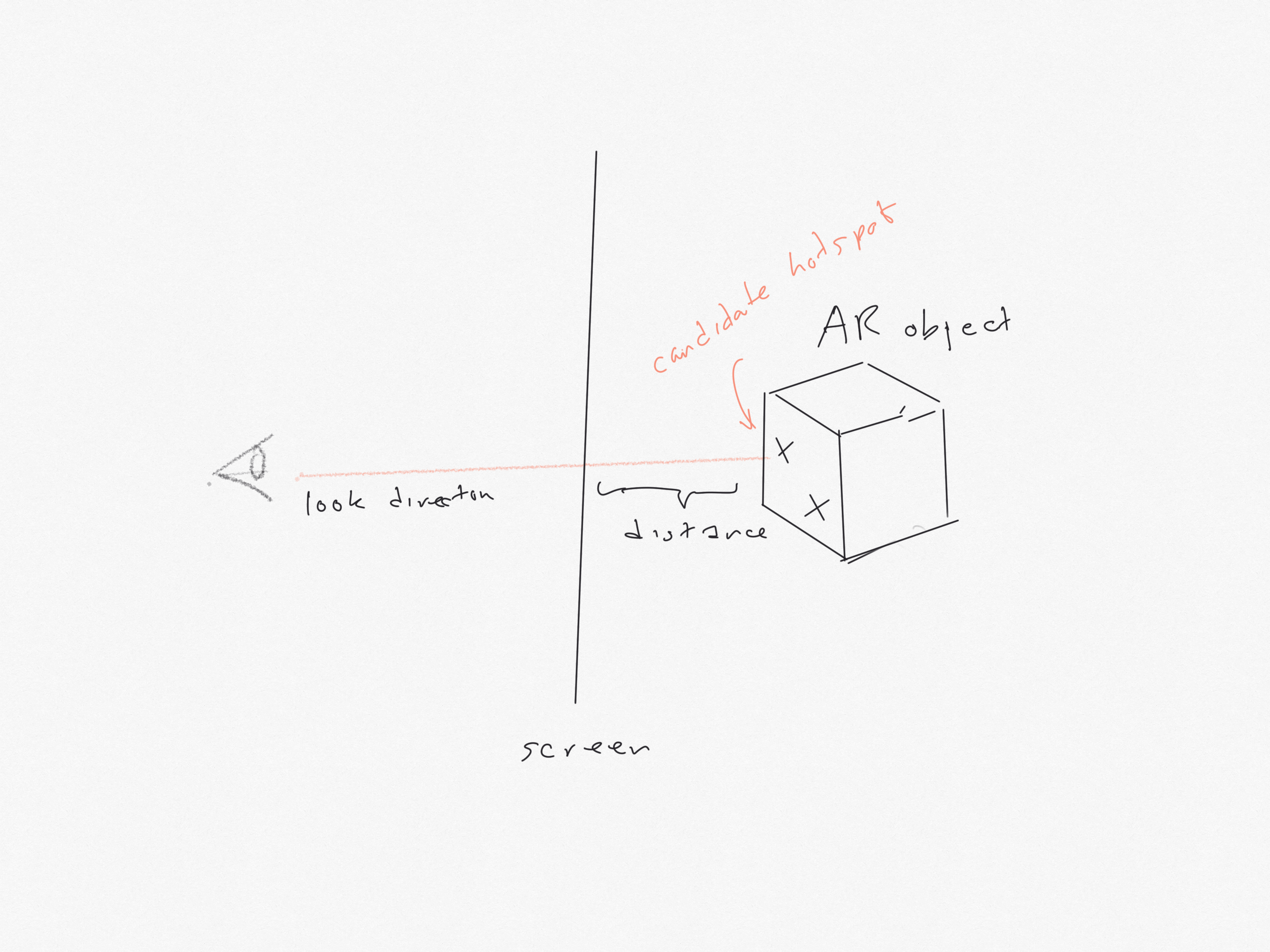
Proximity of objects can be calculated by accessing an AR object's properties when it is placed on a marker within the scene. The object's position and size relative to the viewpoint/camera can be calculated. We can highlight the closest hotspot and then listen for click/touch events. When an event is detected we can initiate the interaction associated with the hotspot.
We are also able to get the marker's orientation as measured in degrees about each axis. Any object placed in relation to the marker will inherit this orientation.
In the following examples we sample distance and orientation of markers with respect to the camera - in this coordinate system the camera is placed at the origin (0,0,0). Moving the camera or markers changes both the distance and orientation reported.
The sampled measures are displayed in an overlay.
As you move towards a marker, we change the brightness of the object associated with it.
When you click/touch anywhere, the closest object is highlighted.
This shows that we can use distance to the camera and a click or touch event on multiple hotspots to change or animate an associated object within the AR scene.
- Distance, orientation and click detections - single object identified using the Hiro marker. In addition, a sphere is created at a random point close to the marker (as a stub for an animation to be added later). If the marker is within a certain distance of the camera, the new sphere and box is coloured green, if it is further away the box and the new sphere is coloured red.
- Detecting two hotspots - two objects identified using the barcode markers. In this example, the closest of the two objects will flash green on click/touch
- Three objects on three markers - testing proximity detection of hotspots with multiple markers. The closest object will be opaque, the furthest away will be semi-transparent. On touch/click anywhere the closest will flash red. Uses Barcode 1 and Barcode 2 and the Hiro markers